 intell
Raspberry Pi is a versatile device that could have a home in virtually every industry and hobby, and it’s easy for beginners to tackle. The tiny computer is best known for its many retro game conversions or as a tool to teach robotics and coding, but there’s so much more it can do. For example, you’re missing out if you’re a cyclist and haven’t integrated a Raspberry Pi into your day-to-day riding.
You’re probably staring at your bicycle now, wondering a hackable computer can enhance your ride. Maybe you can build a speedometer to satisfy your curiosities or an odometer to see just how much mileage you’re putting on your favorite ride. These examples may be the most basic and obvious conversions out there, but they’re far from the only ways you can use a Raspberry Pi on your bicycle.
The following projects are a mix of some of the coolest or most useful creations for your bike or cycling hobby, all with Raspberry Pi as the core component. We tried to stick with some fairly simple builds that don’t require a lot of different components, but even some of the more complex projects should be manageable with the right instructions.
Raspberry Pi vehicle alert system
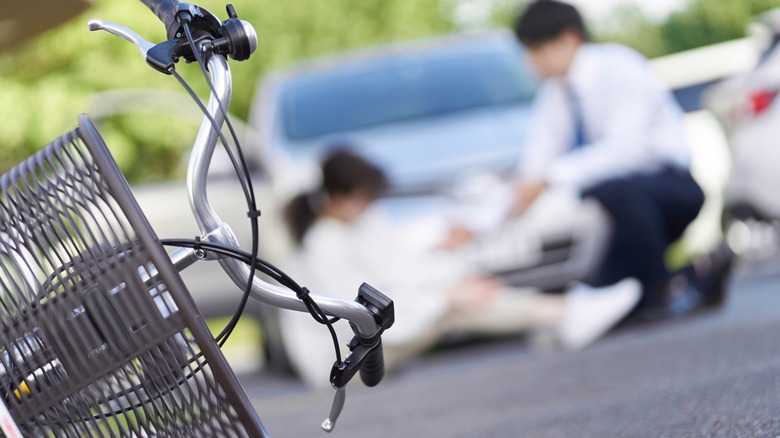
Having to share the road with cars can make cycling a dangerous activity. No matter how diligent riders may be, they can’t see all around them at all times. A car could come up behind and hit you before you even know it’s there. Velo AI hoped to stop that scenario altogether by creating its Copilot.
Powered by a Raspberry Pi Compute Module 4, Copilot practically gives cyclists eyes in the back of their heads. Working with a secondary custom processor called Hailo AI, the Raspberry Pi reads images taken by the roughly $30 Arducam module and uses them to alert cyclists when a car is nearby. Copilot can be customized to provide audio or visual alerts via LEDs, according to the Raspberry Pi website. Those LEDs are positioned so the rider can see that a car is either trying to pass or following too closely.
While Copilot is a premade device ready to be mounted on the saddle rail or seat post, it’s also a project you can take on if you don’t want to spend the $399 sticker price. Along with the Raspberry Pi Compute Model 4, you’ll need an AI image processor like the Ambarella CV72S or Texas Instrument A53/A7f, an LED light, and a small camera module.
The Helmet Guardian Impact Force Monitor
One thing every cyclist has to worry about is crashing. Whether you’re riding on empty roads or busy streets, something can always impede your ride and send you to the ground. This neat project is less about keeping you protected while falling and more about knowing when it’s time to see a doctor if you do.
YouTuber and creator Jen Foxbot took a simple Raspberry Pi Zero and turned it into a potentially life-saving device for cyclists. Embedded into a cycling helmet, the Helmet Guardian alerts the wearer if any impact they experienced from a crash is beyond a specific threshold for serious head injuries or concussions.
The project requires a helmet, an accelerometer, a Raspberry Pi Zero, and an LED indicator light. With the program running through the Raspberry Pi Zero, the accelerometer keeps track of your speed. Should you get into an accident, the program calculates the impact force, or the kinetic energy divided by the impact distance. The LED light turns on if the impact is deemed significant enough to warrant medical attention, which is determined based on studies that outline dangerous acceleration values.
Safety should be a number one priority for cyclists, and the Helmet Guardian is a fantastic DIY project that can further protect your well-being. There are probably mods you can make to the programming and build, such as having the LED flash when you’re riding over a certain speed.
Cycle Chaser projection
Not everything you do with your Raspberry Pi needs to have a practical purpose. If you just enjoy leisure riding, then you may want to add something a little fun to your bike. Take this projection system from the Make YouTube channel, for instance. It’s a bit elaborate, requiring a projector, a hefty USB battery, sensors, and some wiring, but the end result will make your bike the talk of the town.
The Raspberry Pi is used to generate an image that’s sent through the projector and cast onto the ground. True to the purpose of Raspberry Pi, this project is full of customization, since your projection can be pretty much anything.
The biggest downfall of the chaser projection is that it’s a pretty ugly setup and requires a lot of electrical tape and ties to keep from flying off the bike. You’ll also need a bike with a rear rack to hold the components.
Along with all of the physical parts, getting the projection to work will also require OpenFrameworks and Wiring Pi. The open-source C++ toolkit allows you to feed code to your Raspberry Pi, while Wiring Pi gives you control over the Pi’s pins.
If you want an alternate concept that shoots a projection forward, Matt Richardson, the mind behind the chase projection, created a dynamic headlight that can show your current speed.
The Open Source Bike Computer
We did say we’d try to keep the projects easy to build. Unfortunately, this one was way too cool and functional to pass up.
Using a 2.7-inch LCD and a Raspberry Pi Zero, you can develop the equivalent of a modern car dashboard. The computer uses I2C sensors to record temperature and barometric pressure, along with GPS coordinates for distance traveled, current speed, ascent, and calories burned. All the data can be saved in a .fit file for ride route archiving, too.
You’ll have to put a little work into making this project a reality, but it’s worth the effort. Sure, it’s everything your phone can do, but this is an offline solution that tickles a DIY itch and won’t drain your phone’s battery either.
The entire project is available on GitHub, with instructions and all files needed. Though this specific project uses a small LCD screen, the IEEE Spectrum YouTube channel shows a different version running on an Amazon Kindle for improved readability. You’ll also need a universal asynchronous receiver-transmitter (UART), I2C sensors, and an ANT+ dongle for health, speed, and environment sensors.
Source: http://www.slashgear.com/1581355/raspberry-pi-bicycle-projects/
You may also like

